Supabase Edge Function Webhook: Grant User Credits Safely
Tarun Kumar · 15 November 2026 · 9 min read
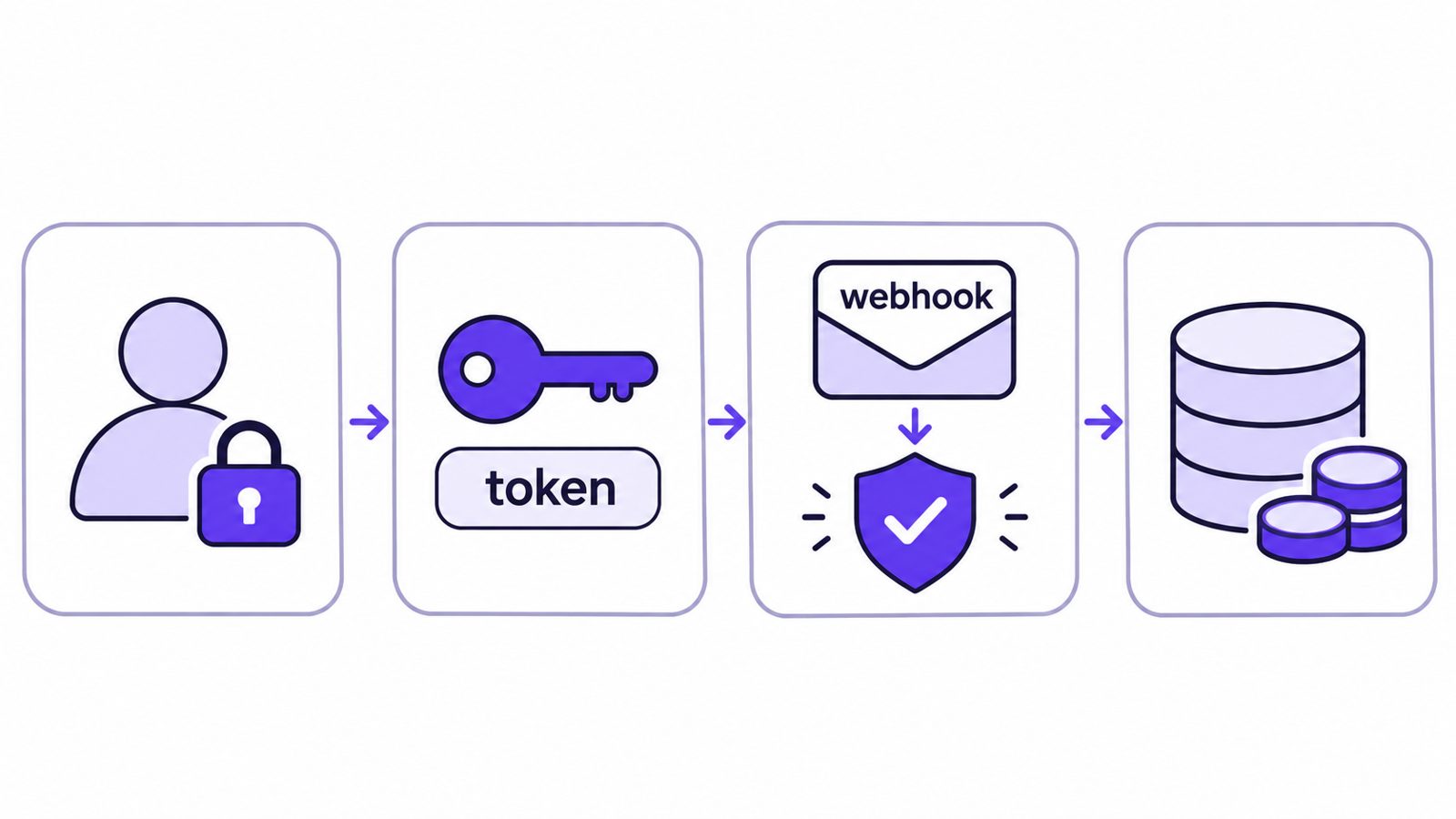
Quick answer: use two Supabase Edge Functions, one that signs a Stickly identity token for the signed-in user and one that verifies Stickly's signed webhook, plus a Postgres grant keyed on the claim id so a retry never credits twice. Stickly is our product; the recipe below was tested end to end on a local Supabase stack.
This guide builds a Supabase Edge Function webhook that grants in-app credits when a user completes an action in Stickly. The answer, up front: use two Supabase Edge Functions. The first turns the signed-in Supabase user into an HS256 token signed with your Stickly signing secret. The second is a public webhook that verifies Stickly's HMAC signature on the raw request body and writes the credits through an idempotent Postgres function keyed on the claim id.
We built this recipe in a sample app on a local Supabase stack on 15 November 2026, and it passed all 19 checks, including a duplicate delivery of the same claim and a tampered body.
Stickly is an engagement widget: founders reward their own users with product credits for actions they choose — completing onboarding, inviting a teammate, or giving feedback. The credit grant is the part that has to be safe. The user identity must be signed, the webhook must be verified, and a retried delivery must never credit twice. If you are still deciding how users should earn credits in the first place, our guide to referral program software covers that side. The rest of this article is the setup, step by step.
Three terms used below:
- Identity token: a short JWT your server signs so Stickly knows which of your users is claiming.
- Webhook signature: the HMAC in the x-stickly-signature header that proves a delivery came from Stickly.
- Claim id: the id field in each webhook; it is the same on every retry of one claim.
How the pieces fit
The integration needs three values from your Stickly dashboard, and one of them — the webhook secret — only exists after you save the webhook URL in the dashboard. That ordering decides the deploy sequence in Step 4. The payload Stickly sends carries a claim id, a mode (live or test), the user reference and the credits to grant, and the flow below shows where each one is used.
- The user signs in with Supabase Auth.
- Your app calls the stickly-token Edge Function, which returns an HS256 identity token for that user.
- The browser boots the Stickly widget with the token.
- The user completes the action, and Stickly records a claim.
- Stickly POSTs the claim to the stickly-webhook Edge Function.
- The webhook verifies the signature and calls grant_stickly_credits, which writes the grant exactly once and updates the balance.
Two functions, one Postgres function, two tables. Here is each piece.
AI-generated illustration.
Step 1: the credits table and an idempotent grant
Stickly retries a failed delivery 1 minute, 5 minutes, 30 minutes, 2 hours and 6 hours after the first attempt, so the same claim can legitimately arrive several times. Idempotency is not optional here; it is the core of the design. The rule is simple: key the grant on the claim id and let the database enforce uniqueness. The Supabase user credits live in two tables, and the migration creates both of them plus the grant function:
-- One row per Stickly claim id: the primary key is what makes retries safe.
create table public.stickly_grants (
  claim_id   text primary key,
  user_id    uuid not null references auth.users(id) on delete cascade,
  reward_id  text not null,
  credits    integer not null check (credits >= 0),
  granted_at timestamptz not null default now()
);

create table public.credit_balances (
  user_id uuid primary key references auth.users(id) on delete cascade,
  credits integer not null default 0
);

alter table public.stickly_grants  enable row level security;
alter table public.credit_balances enable row level security;

-- Users may read their own balance; nobody writes from the browser.
create policy "read own balance" on public.credit_balances
  for select to authenticated using ((select auth.uid()) = user_id);

-- Idempotent grant: returns true only the first time a claim id is seen.
create or replace function public.grant_stickly_credits(
  p_claim_id text, p_user_id uuid, p_reward_id text, p_credits integer
) returns boolean
language plpgsql security definer set search_path = '' as $$
begin
  insert into public.stickly_grants (claim_id, user_id, reward_id, credits)
  values (p_claim_id, p_user_id, p_reward_id, p_credits)
  on conflict (claim_id) do nothing;
  if not found then
    return false;
  end if;
  insert into public.credit_balances (user_id, credits)
  values (p_user_id, p_credits)
  on conflict (user_id) do update
    set credits = public.credit_balances.credits + excluded.credits;
  return true;
end;
$$;

revoke execute on function public.grant_stickly_credits(text, uuid, text, integer)
  from public, anon, authenticated;
grant execute on function public.grant_stickly_credits(text, uuid, text, integer)
  to service_role;
Three details matter:
- stickly_grants uses the claim id as its primary key. A replayed delivery tries to insert the same id, the insert is skipped, and no second grant happens.
- grant_stickly_credits is declared security definer, and its execute permission is limited to service_role. Only the webhook — which runs with the service role key — can call it; your users cannot grant themselves credits by calling the RPC directly.
- credit_balances has row level security enabled with a read-own policy, so the app can show a signed-in user their own balance straight from the client. In our test the user read their own row, and the same user calling the grant RPC through the REST API got a 403.
With the storage layer safe to call repeatedly, the next problem is identity: how does Stickly know which user to credit?
Step 2: turn the Supabase Auth JWT into a Stickly identity token
With live keys, Stickly expects an HS256 token whose sub claim is the user id, and it allows a ±300 second clock tolerance when it checks the token. Test keys skip the signature check entirely, which is convenient while you develop.
The stickly-token function is the bridge. The user is already signed in, so the function reads the Supabase Auth JWT from the incoming request, takes the user id, and signs a new HS256 token with the Stickly signing secret. Because Supabase Edge Functions require a JWT by default, you leave the default on for this function: only a signed-in user can mint a token, and only for themselves.
One legitimate worry: the sub value travels to a third party (Stickly) and comes back in the webhook payload. Supabase user ids are random UUIDs, so they are already opaque — sending one to Stickly does not leak an email, a name, or a sequential id that says anything about your user base.
// Mints the Stickly identity token for the signed-in Supabase user.
import { createClient } from "npm:@supabase/supabase-js@2";
import { SignJWT } from "npm:jose@5";

const signingSecret = new TextEncoder().encode(Deno.env.get("STICKLY_SIGNING_SECRET")!);

Deno.serve(async (req) => {
  const jwt = (req.headers.get("Authorization") ?? "").replace(/^Bearer /, "");
  if (!jwt) return Response.json({ error: "not signed in" }, { status: 401 });

  const supabase = createClient(
    Deno.env.get("SUPABASE_URL")!,
    Deno.env.get("SUPABASE_ANON_KEY")!,
  );
  const { data, error } = await supabase.auth.getUser(jwt);
  if (error || !data.user) return Response.json({ error: "not signed in" }, { status: 401 });

  // The Supabase user id is a random UUID, so it is already opaque.
  const token = await new SignJWT({})
    .setProtectedHeader({ alg: "HS256" })
    .setSubject(data.user.id)
    .setIssuedAt()
    .setExpirationTime("24h")
    .sign(signingSecret);

  return Response.json({ token });
});
On the client, boot the widget with the token you just fetched. Call shutdown when the user signs out so the next person on a shared machine does not inherit the widget, and use updateToken to swap in a fresh token without re-booting. The snippet below uses supabase-js to call the function, which sends the user's session for you.
// browser, once the Supabase session exists
const { data } = await supabase.functions.invoke('stickly-token');

window.stk = window.stk || { cmd: [] };
window.stk.cmd.push((s) => s.boot({ key: 'pk_live_your_public_key', token: data.token }));

// on sign-out
window.stk.cmd.push((s) => s.shutdown());
Load the widget script itself on signed-in pages only, using the exact script tag the Stickly dashboard gives you with your public key.
Step 3: the Supabase Edge Function webhook that verifies Stickly's signature
This is the half of the recipe that faces the public internet, and it is where most of the checks live.
Stickly signs every delivery. The request carries a signature header; the function recomputes the HMAC over the raw body and compares, and it rejects deliveries whose timestamp falls outside a 300-second window. Two implementation notes follow from that. First, read the raw body before any JSON parsing — if you parse first and re-serialize, the bytes change and the signature will never match. Second, Edge Functions on Supabase run on Deno, so use Web Crypto for the HMAC; there is no Node crypto module to import.
There is also a Supabase-specific catch. Edge Functions require a JWT by default, and Stickly's servers do not have one. To verify the webhook signature, Supabase must let the request reach your code in the first place, so set verify_jwt to false for the stickly-webhook function only. The token function from Step 2 keeps the default behavior.
# supabase/config.toml
[functions.stickly-webhook]
verify_jwt = false
The function itself applies four rules:
- Reject a bad signature or a stale timestamp.
- In production, ignore deliveries whose mode is test — return success and grant nothing.
- Return 200 for anything you cannot act on. A claim for an unknown user is not going to become known through a retry, so acknowledge it and move on.
- Return 500 only when the database write fails. That is the one case where Stickly's retry schedule — 1 minute, 5 minutes, 30 minutes, 2 hours, 6 hours — is exactly what you want, because a transient database error will usually succeed on a later attempt.
// Receives Stickly's reward.claimed webhook and grants credits once per claim.
import { createClient } from "npm:@supabase/supabase-js@2";

const enc = new TextEncoder();
const webhookSecret = Deno.env.get("STICKLY_WEBHOOK_SECRET")!;
const acceptTest = Deno.env.get("STICKLY_ACCEPT_TEST") === "true"; // never in production

async function hmacHex(secret: string, msg: string) {
  const key = await crypto.subtle.importKey(
    "raw", enc.encode(secret), { name: "HMAC", hash: "SHA-256" }, false, ["sign"],
  );
  const sig = await crypto.subtle.sign("HMAC", key, enc.encode(msg));
  return Array.from(new Uint8Array(sig), (b) => b.toString(16).padStart(2, "0")).join("");
}

function safeEqual(a: string, b: string) {
  if (a.length !== b.length) return false;
  let diff = 0;
  for (let i = 0; i < a.length; i++) diff |= a.charCodeAt(i) ^ b.charCodeAt(i);
  return diff === 0;
}

const UUID = /^[0-9a-f]{8}-[0-9a-f]{4}-[0-9a-f]{4}-[0-9a-f]{4}-[0-9a-f]{12}$/i;

Deno.serve(async (req) => {
  if (req.method !== "POST") return new Response("method not allowed", { status: 405 });

  const raw = await req.text(); // verify the raw body, parse afterwards
  const header = req.headers.get("x-stickly-signature") ?? "";
  const t = Number(/t=(\d+)/.exec(header)?.[1]);
  const v1 = /v1=([a-f0-9]+)/.exec(header)?.[1];
  if (!t || !v1) return Response.json({ error: "missing signature" }, { status: 400 });
  if (Math.abs(Date.now() / 1000 - t) > 300) {
    return Response.json({ error: "stale timestamp" }, { status: 401 });
  }
  if (!safeEqual(v1, await hmacHex(webhookSecret, `${t}.${raw}`))) {
    return Response.json({ error: "bad signature" }, { status: 401 });
  }

  const e = JSON.parse(raw);
  // From here on, answer 200 even when we do nothing: a non-2xx is retried for hours.
  if (e.event !== "reward.claimed") return Response.json({ ignored: "event" });
  if (e.mode === "test" && !acceptTest) return Response.json({ ignored: "test mode" });
  if (!UUID.test(String(e.userId))) return Response.json({ ignored: "unknown user" });

  const admin = createClient(
    Deno.env.get("SUPABASE_URL")!,
    Deno.env.get("SUPABASE_SERVICE_ROLE_KEY")!,
  );
  const { data, error } = await admin.rpc("grant_stickly_credits", {
    p_claim_id: String(e.id),
    p_user_id: e.userId,
    p_reward_id: String(e.rewardId),
    p_credits: Number(e.credits),
  });
  if (error?.code === "23503") return Response.json({ ignored: "unknown user" });
  if (error) return Response.json({ error: error.message }, { status: 500 }); // let Stickly retry
  return Response.json({ granted: data === true, duplicate: data === false });
});
Step 4: secrets and deploy
The webhook secret only exists after you save the webhook URL in the Stickly dashboard, so the secrets arrive in two rounds. Supabase already injects SUPABASE_URL, SUPABASE_ANON_KEY and SUPABASE_SERVICE_ROLE_KEY into every function; you add only the Stickly values. Locally the functions read them from supabase/functions/.env; for a hosted project you push a .env file with the CLI.
- In the Stickly dashboard, open Settings, then API keys, and download the .env. Put STICKLY_SIGNING_SECRET in your .env file.
- Push it and deploy both functions:
supabase secrets set --env-file .env
supabase functions deploy stickly-token
supabase functions deploy stickly-webhook
- Paste the public URL of stickly-webhook into the Stickly dashboard and save it. This is the moment the webhook secret is created.
- Download the .env again, add STICKLY_WEBHOOK_SECRET to your file, run
supabase secrets set --env-file .envagain, and redeploy stickly-webhook so it picks the value up. - Press "Send test webhook" in the dashboard and expect a 2xx back.
Until step 4 is done, the webhook cannot verify any signed delivery and grants nothing: with no webhook secret set, the HMAC key import fails and the function returns an error, so Stickly retries on its schedule (1 minute up to 6 hours) and then gives up on that delivery. Set the secret promptly after saving the URL.
What we tested, and what we did not
We built this recipe in a sample app against a local Supabase stack on 15 November 2026 and ran 19 checks; all passed, including a resent claim id (credited once) and a body tampered with after signing. We also probed the endpoint the way Stickly would: four probes with expected status codes, covering the cases the webhook has to distinguish. One detail matters more than it looks: Stickly treats a 2xx response that returns an HTML page as a failed delivery, so the function always answers with a JSON body. The full results, including the signature probes and the row level security check that confirmed users can read only their own balance, are in the table.
| Check | Expected | Result |
|---|---|---|
| stickly-token with no Supabase session | 401 | 401 |
| stickly-token with a session | 200 + token | 200 |
| Token verified with Stickly's own jose call (HS256, 300 s tolerance) | sub = Supabase user id | match, expires in 86,400 s |
| Same token under a different secret | rejected | rejected |
| Webhook, no signature header | 400 | 400 |
| Webhook, signature of 64 zeros | 401 | 401 |
| Webhook, correct signature 10 minutes old | 401 | 401 |
| Webhook, correct signature, mode test | 200, no credits | 200, no balance row |
| Live claim for 50 credits | 200 granted | granted |
| Same claim id sent again | 200 duplicate | duplicate, balance still 50 |
| Body changed after signing (5000 credits) | 401 | 401 |
| Unknown user id | 200 ignored | ignored |
| Other event type | 200 ignored | 200 |
| User reads own balance through RLS | 50 | 50 |
| User calls the grant RPC directly | refused | 403, balance still 50 |
Versions: Supabase CLI 2.105.0, Postgres 17.6, edge-runtime 1.74.0. The signatures in these probes were made with the same signing logic Stickly's servers use.
What we did not test: the browser widget itself, and a hosted Supabase deploy. Both were out of scope for this run, so treat those two paths as unverified until you exercise them yourself.
One local gotcha is worth knowing before you start. When we first ran the local stack from a macOS temp folder outside the paths Docker shares, every function call failed with "worker boot error: failed to bootstrap runtime: failed to determine entrypoint", because the functions folder was mounted empty. Moving the project under the home folder fixed it.
I'm Tarun, founder of Stickly. If you want to reward your users with product credits for the actions that matter to you, take a look at Stickly.
FAQ
Why does the webhook function need verify_jwt set to false?
Supabase Edge Functions require a valid JWT by default, and Stickly's servers do not hold your users' tokens. The webhook switches that check off for this one function and verifies Stickly's HMAC signature instead. The token function keeps the default.
What happens if Stickly sends the same claim twice?
Stickly retries until it gets a 2xx, so repeats are expected. The grant is keyed on the claim id as a primary key, so the second delivery returns 200 with duplicate true and the balance does not change.
Can a signed-in user call the grant function and give themselves credits?
No. Execute on grant_stickly_credits is granted only to service_role. In our test a signed-in user calling it through the REST API got a 403.
Is the Supabase user id safe to send to Stickly?
The value in sub goes to a third party and comes back in every webhook, so it should be opaque. Supabase Auth user ids are random UUIDs, which is why this recipe uses them directly instead of an email.